
BQLearn2.9.1 - App Store
You'll be able to see results in few seconds.
Publisher Description
BQLearn is an app for the UPCI Bible Quizzing Program to help individuals memorize scriptures quickly.
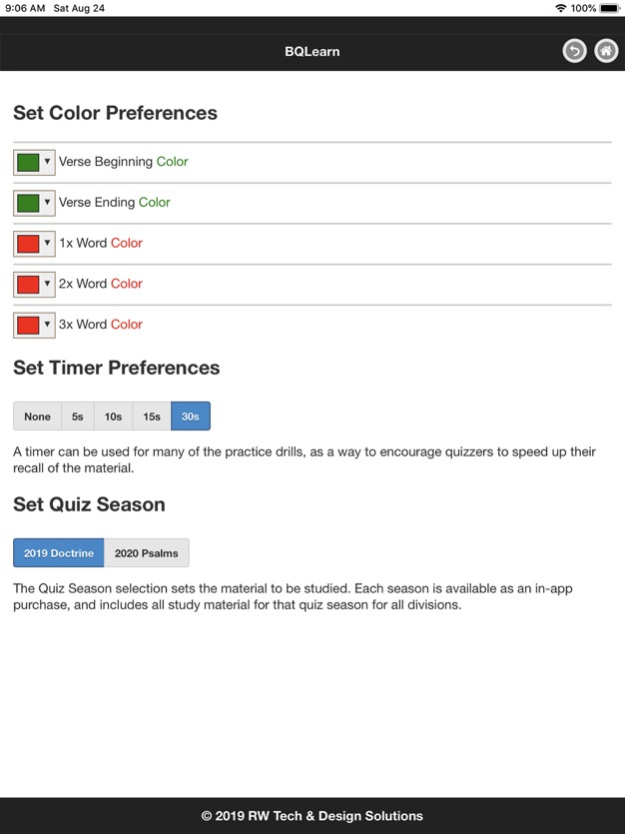
BQLearn is an app for the UPCI Bible Quizzing Program to help individuals memorize scriptures quickly. Scriptures for the 2020 quiz season are available as an in-app purchase using the Settings screen.
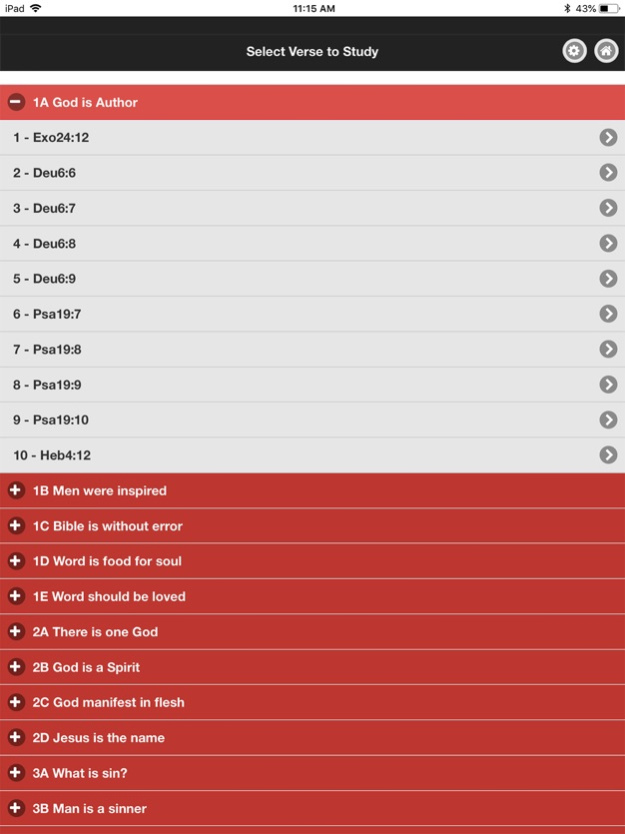
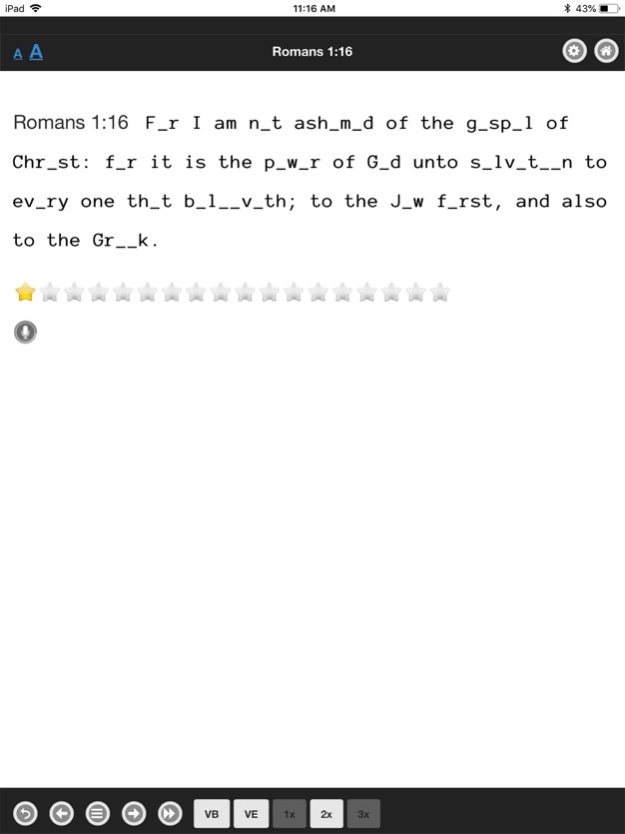
Select a verse within the app to memorize. The entire verse will be initially displayed. Read the verse then click the > button to advance to the next step, which will display the verse with a few letters removed. Read the verse again, and you will notice that you are able to successfully recall/read the verse even though some letters are missing. Your brain is familiar enough with the verse to fill in the missing parts successfully. Each time the > button is clicked, more letters will be removed from the verse until eventually all you will see is a blank screen. At each step, try to quote the verse to yourself. If you need to make sure you are recalling the verse correctly, you may click the Toggle button which will display the entire verse again. By the time you advance to the blank screen you should be able to quote the entire verse from memory.
The audio record capability allows quizzers to record themselves quoting a verse and then check themselves for correction by listening to the recorded verse.
The study verse screen also includes buttons to show quizzers the unique verse beginning, unique verse ending, 1x words, 2x words, and 3x words for the verse being studied. For 2x and 3x words, the references to other verses contain those words are also displayed, and the quizzer can toggle between those verses to see the context of all of the 2x and 3x words. If this verse contains the last occurrence of a 2x or 3x word, the 2x or 3x button appears green notifying the quizzer that it is a last occurrence.
Traditionally, Bible Quizzers have memorized verses by studying a flashcard, flipping it over to hide the verse, then flipping it back over again to make sure the verse was recalled correctly. This technique of showing and hiding the verse in its entirety is now replaced with a new technique of gradually removing parts until verse recall is achieved with no visual clues. This new memorization technique is faster and more effective than traditional flash card study.
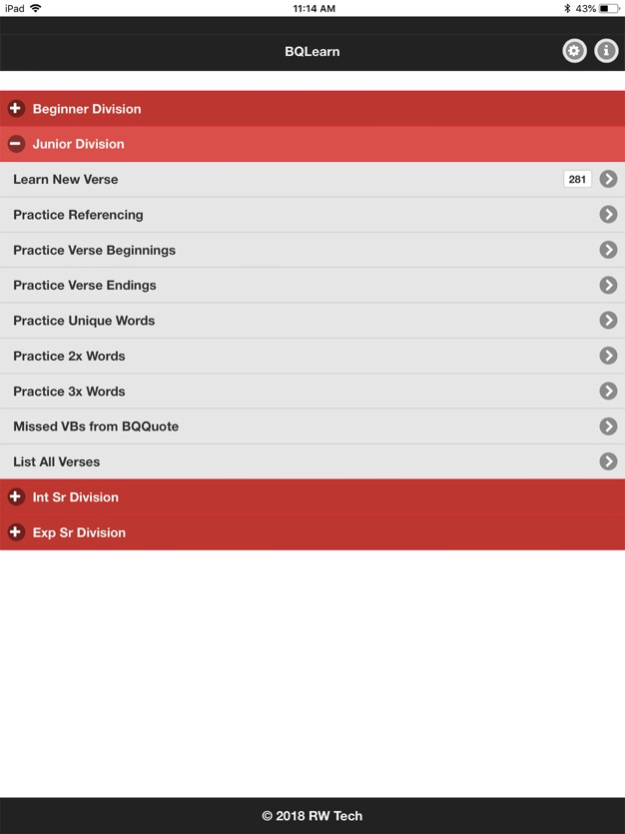
Quizzers are also able to practice verse beginnings, verse endings, unique words, 2x words, and 3x words. By practicing verse beginnings, a quizzer's referencing skills will improve. The quizzer will be shown a verse beginning and will have to think of the reference, or will be shown a reference and will have to think of the verse beginning. For unique word, 2x word, and 3x word practice, the quizzer will be shown a unique, 2x, or 3x word and will have to think of the reference(s) for the verse(s) containing that information. Additionally, quizzers can practice missed verse beginnings from BQQuote sessions. A timer can be set for these practice drills, encouraging quizzers to speed up their recall. Also, a summary of correct and missed items is available throughout each practice drill by clicking the statistics button.
The app also includes a “List All Verses” selection that will list all verses within a given range. Within the listing the unique verse beginnings, verse endings, 1x words, 2x words, and 3x words can be highlighted. Clicking on a 2x or 3x word will display its references.
Oct 19, 2019
Version 2.9.1
- Added record capability back in so that a quizzer can record and then listen to a quoted verse to check for correctness.
- Minor bug fixes and improvements.
About BQLearn
The company that develops BQLearn is Ruth Wilson. The latest version released by its developer is 2.9.1.
To install BQLearn on your iOS device, just click the green Continue To App button above to start the installation process. The app is listed on our website since 2019-10-19 and was downloaded 0 times. We have already checked if the download link is safe, however for your own protection we recommend that you scan the downloaded app with your antivirus. Your antivirus may detect the BQLearn as malware if the download link is broken.
How to install BQLearn on your iOS device:
- Click on the Continue To App button on our website. This will redirect you to the App Store.
- Once the BQLearn is shown in the iTunes listing of your iOS device, you can start its download and installation. Tap on the GET button to the right of the app to start downloading it.
- If you are not logged-in the iOS appstore app, you'll be prompted for your your Apple ID and/or password.
- After BQLearn is downloaded, you'll see an INSTALL button to the right. Tap on it to start the actual installation of the iOS app.
- Once installation is finished you can tap on the OPEN button to start it. Its icon will also be added to your device home screen.
Program Details
System requirements
Download information
Pricing
Version History
version 2.9.1
posted on 2019-10-19
Oct 19, 2019 Version 2.9.1
- Added record capability back in so that a quizzer can record and then listen to a quoted verse to check for correctness.
- Minor bug fixes and improvements.
Disclaimer
Official App Store Link
We do not host BQLearn on our servers. We did not scan it for viruses, adware, spyware or other type of malware. This app is hosted by Apple and passed their terms and conditions to be listed there. We recommend caution when installing it.
The App Store link for BQLearn is provided to you by apps112.com without any warranties, representations or guarantees of any kind, so access it at your own risk.
If you have questions regarding this particular app contact the publisher directly. For questions about the functionalities of apps112.com contact us.
